
The Settings page has been redesigned to improve your workflow and save you time. Gone are the days of endlessly clicking around in your Klaviyo account. Now, you can simply click your account ribbon and hit the Settings tab.
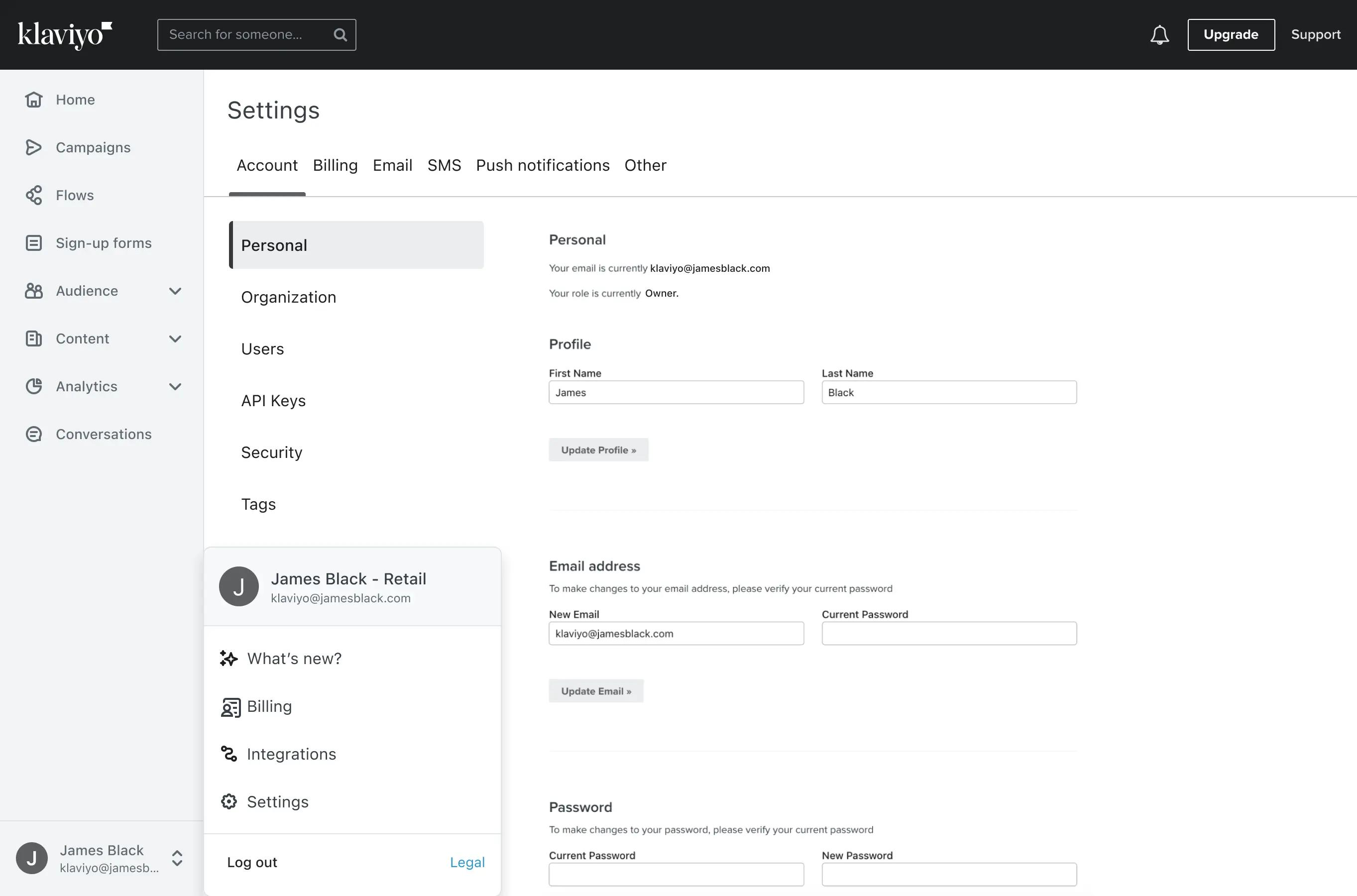
Key changes to the Settings page
The redesigned user interface speeds up your workflow and saves you time. Four key things to know about this release:
- The Settings page has a new layout. Core areas of this page are now accessible through a tabbed structured to keep the page more organized
- Billing and profiles are now in your main navigation and settings. You can access your billing settings from both places in Klaviyo
- All Security related settings, like creating private API keys or setting up multi-factor authentication, have been moved to the Account tab of the settings page
- Consent pages, web feeds, and UTM tracking settings have been moved to the Other tab
Check out our Help Center for full details on general account settings available to you, or head to the Settings page in your account to explore this release.

Related content

Explore how Klaviyo is becoming the customer intelligence layer for agentic commerce, powered by APIs, MCP, and integrations that enable AI, automation, and scalable growth.

Klaviyo news
Your Discount Strategy Making You Poorer — Here's the DataMay 20, 2026
Low discounters grow twice as fast—and keep the margin. New research from Klaviyo and ProfitPeak on what your discount strategy is actually costing your brand.

Klaviyo news
K:SYD 2026 Recap: Low Discounters Are Growing 2x FasterMay 20, 2026
The ideas that landed at K:SYD 2026 weren't the comfortable ones. Here's what 600 of Australia's best B2C marketers heard—and what's worth taking back to work.